

See Reclaim360 on your roster
Bring your Claims Officer, Finance Manager, and Admin. We will show one platform for import, claiming, invoicing, and reconciliation.
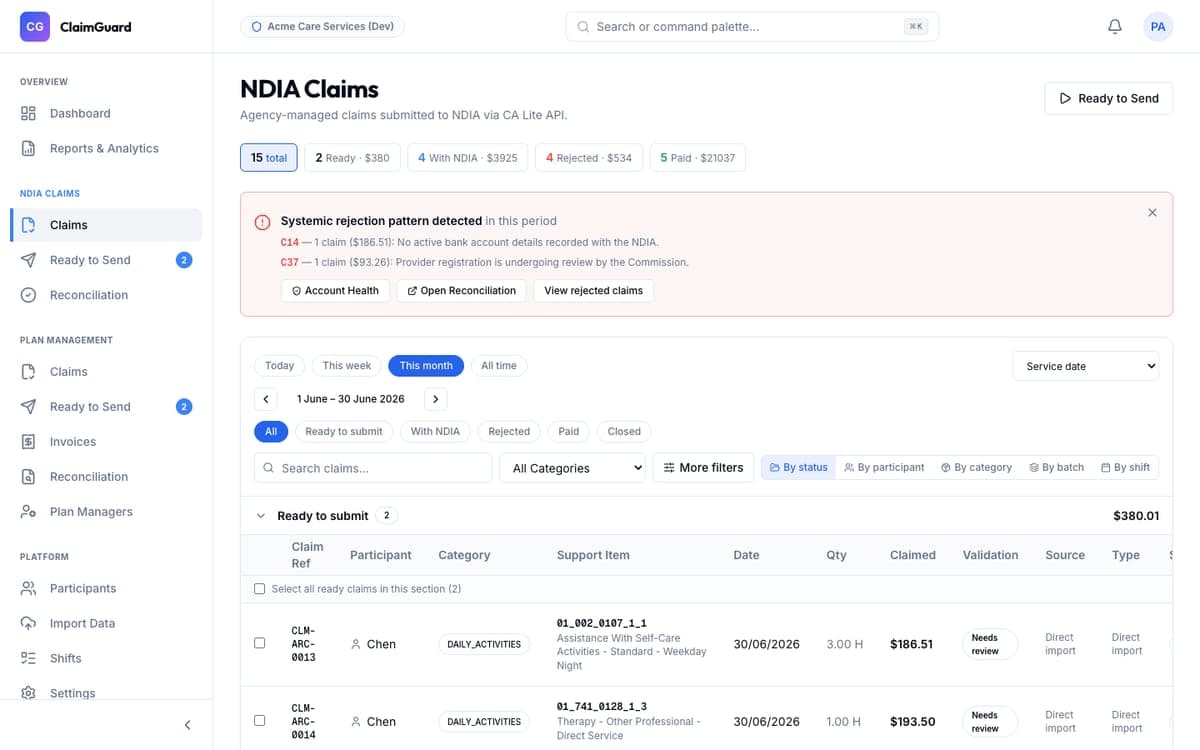
What to expect
- 45-minute walkthrough tailored to your roster
- Live import demo on your export format
- Pricing estimate for your participant count
Request a demo
Frequently Asked Questions
- Who should attend the Reclaim360 demo?
- We recommend bringing members of your finance, administration, and NDIS claims processing teams. Because Reclaim360 unifies the workflow from roster import to remittance matching, having representatives from both operations and finance helps show the full end-to-end impact.
- Can I see how my own roster export looks in Reclaim360?
- Yes. During the demo, you can securely share a sample export file from your rostering tool (with mock or anonymised participant data). We will run it through our pre-submission validation engine live to show you exactly how errors and routing exceptions are flagged.
- How long does a typical demo session take?
- A standard walkthrough takes 30 to 45 minutes. This includes a tailored demonstration of the import and reconciliation workflow, plus 10–15 minutes for any specific questions about PACE compliance, your CRM, or your pricing tier.
- Do you offer sandbox or trial access?
- To ensure a smooth transition, we onboard all early adopters via a white-glove setup. Rather than a self-guided trial, a dedicated NDIS implementation specialist works with you to load your templates, verify your NDIA connection, and run your first live billing cycle with zero risk.